


Microsoft
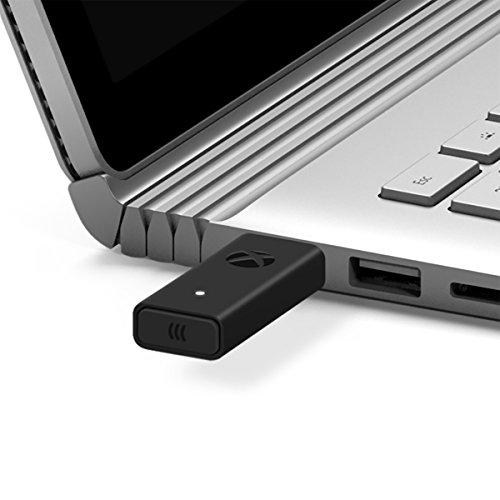
Microsoft Xbox Wireless Adapter for Windows 10
Microsoft Xbox Wireless Adapter for Windows 10


Couldn't load pickup availability
Brand: Microsoft
Features:
- Play with your Xbox Wireless Controller on PCs and tablets running Windows 10
- Use the adapter to play PC games or when streaming Xbox One games from the Xbox app to Windows 10
- Wirelessly connect the Adapter to your Xbox controller to enable the same gaming experience you are used to on Xbox One, including in-game chat and high quality stereo audio
- Comes with USB extender cable to enhance placement and accessibility when connecting to your PC or tablet
- Simply bind the Adapter to your Wireless Controller to enable the same gaming experience you are used to on Xbox One, including in-game chat and high quality stereo audio
- Includes USB extender cable
- Compatible with Xbox Series X, Xbox One, Windows 10
Binding: Video Game
Release Date: 27-10-2015
Details: Enable network game transfer Network transfer lets one Xbox console copy games and apps from another console, so long as they’re on the same home network. Copying this way can be faster than downloading another copy of the same game or app. If you have a metered internet connection, this can also save you money. Any Xbox One (original Xbox One, Xbox One S, and Xbox One X) can be either the source or the destination console. On the Xbox you want to copy from, go to Settings > Network > Network transfer and check the box to allow network transfer. This makes that Xbox visible to other consoles on the same network. Once you’ve allowed transferring from the “host” Xbox, turn on the console onto which you’ll be copying games and apps, and go to the same settings page. Your host Xbox should be listed. Select the Xbox you want to copy from, choose the items to copy, then select Copy selected.
Package Dimensions: 5.8 x 5.6 x 1.8 inches
Languages: English, French


Collapsible content
DETAILS
Provide details like specifications, materials, or measurements.
Add an image in your Collapsible content settings for more visual interest.
TIPS
Share expert tips on how to use this product or pair it with other items.
SHIPPING
List the details of your shipping policy.